


From the TrustedAV store
 KasperskyBank and shop online in a protected browserKaspersky Premium · antivirus, password manager and data-leak alerts · 5 devicesShop KasperskyKasperskyRenew Kaspersky with a genuine licence keyPremium, Plus and Standard · 1 to 5 devicesSee Kaspersky plansKasperskyComplete protection for the whole familyKaspersky Premium covers PCs, Macs and phones, with Safe Kids free for a yearSee Kaspersky plans
 Get warned about risky sites, links and downloadsMcAfee® Total Protection · antivirus, web protection and password manager · 1 deviceShop McAfee
 AvastSpot phishing emails and fake websites before they catch youAvast Premium Security · email and fake-site warnings · 1 PCShop Avast
 AOMEIWhen the cloud goes down, your own backup doesn’tAOMEI Backupper Professional · scheduled, incremental backups · 2 PCsShop AOMEIAOMEIBack up your whole PC and restore it, even to new hardwareAOMEI Backupper Professional · system backup, disk clone, rescue mediaShop AOMEI
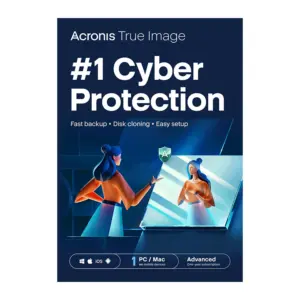 AcronisBack up your PC and stop ransomware, in one appAcronis True Image Advanced · 50 GB cloud backup · 1 yearShop AcronisBusiness securityProtecting 10 or more devices?Compared quotes on Kaspersky, Bitdefender, ESET and more · reply in one business dayGet a business quote
KasperskyBank and shop online in a protected browserKaspersky Premium · antivirus, password manager and data-leak alerts · 5 devicesShop KasperskyKasperskyRenew Kaspersky with a genuine licence keyPremium, Plus and Standard · 1 to 5 devicesSee Kaspersky plansKasperskyComplete protection for the whole familyKaspersky Premium covers PCs, Macs and phones, with Safe Kids free for a yearSee Kaspersky plansGet warned about risky sites, links and downloadsMcAfee® Total Protection · antivirus, web protection and password manager · 1 deviceShop McAfeeAvastSpot phishing emails and fake websites before they catch youAvast Premium Security · email and fake-site warnings · 1 PCShop AvastAOMEIWhen the cloud goes down, your own backup doesn’tAOMEI Backupper Professional · scheduled, incremental backups · 2 PCsShop AOMEIAOMEIBack up your whole PC and restore it, even to new hardwareAOMEI Backupper Professional · system backup, disk clone, rescue mediaShop AOMEIAcronisBack up your PC and stop ransomware, in one appAcronis True Image Advanced · 50 GB cloud backup · 1 yearShop AcronisBusiness securityProtecting 10 or more devices?Compared quotes on Kaspersky, Bitdefender, ESET and more · reply in one business dayGet a business quoteRansomware, a failed disk, theft or a mistaken delete can wipe out years of files in minutes. The 3-2-1 rule is the simplest way to make sure you can always recover.
What 3-2-1 means
- 3 copies of your data: the original plus two backups.
- 2 different kinds of storage, for example the computer’s own disk and an external drive or NAS.
- 1 copy off-site, in the cloud or on a drive kept somewhere else, so a fire, theft or ransomware attack on the office cannot reach it.
Set it up in five steps
- Choose what to back up. For a single PC, a full disk image is easiest: it lets you restore Windows, apps and files together. For a server, back up the whole system plus key data folders.
- Make the first local backup. In Acronis True Image or AOMEI Backupper, create a disk or system backup to an external drive or NAS.
- Schedule it. Daily incremental backups with a weekly full backup suit most offices. Keep several versions so you can go back to before an infection.
- Add the off-site copy. Acronis can back up straight to Acronis Cloud. With AOMEI, back up to a cloud folder or rotate an external drive that you take home.
- Test a restore. Once a month, restore a few files to a different folder. A backup you have never restored is a guess, not a backup.
Ransomware tip: keep at least one backup that is not permanently connected to the computer. Ransomware encrypts every drive it can see, including mapped network drives.
From the TrustedAV storeKasperskyBank and shop online in a protected browserKaspersky Premium · antivirus, password manager and data-leak alerts · 5 devicesShop KasperskyKasperskyRenew Kaspersky with a genuine licence keyPremium, Plus and Standard · 1 to 5 devicesSee Kaspersky plansKasperskyComplete protection for the whole familyKaspersky Premium covers PCs, Macs and phones, with Safe Kids free for a yearSee Kaspersky plansGet warned about risky sites, links and downloadsMcAfee® Total Protection · antivirus, web protection and password manager · 1 deviceShop McAfeeAvastSpot phishing emails and fake websites before they catch youAvast Premium Security · email and fake-site warnings · 1 PCShop AvastAOMEIWhen the cloud goes down, your own backup doesn’tAOMEI Backupper Professional · scheduled, incremental backups · 2 PCsShop AOMEIAOMEIBack up your whole PC and restore it, even to new hardwareAOMEI Backupper Professional · system backup, disk clone, rescue mediaShop AOMEIAcronisBack up your PC and stop ransomware, in one appAcronis True Image Advanced · 50 GB cloud backup · 1 yearShop AcronisBusiness securityProtecting 10 or more devices?Compared quotes on Kaspersky, Bitdefender, ESET and more · reply in one business dayGet a business quote
KasperskyBank and shop online in a protected browserKaspersky Premium · antivirus, password manager and data-leak alerts · 5 devicesShop KasperskyKasperskyRenew Kaspersky with a genuine licence keyPremium, Plus and Standard · 1 to 5 devicesSee Kaspersky plansKasperskyComplete protection for the whole familyKaspersky Premium covers PCs, Macs and phones, with Safe Kids free for a yearSee Kaspersky plansGet warned about risky sites, links and downloadsMcAfee® Total Protection · antivirus, web protection and password manager · 1 deviceShop McAfeeAvastSpot phishing emails and fake websites before they catch youAvast Premium Security · email and fake-site warnings · 1 PCShop AvastAOMEIWhen the cloud goes down, your own backup doesn’tAOMEI Backupper Professional · scheduled, incremental backups · 2 PCsShop AOMEIAOMEIBack up your whole PC and restore it, even to new hardwareAOMEI Backupper Professional · system backup, disk clone, rescue mediaShop AOMEIAcronisBack up your PC and stop ransomware, in one appAcronis True Image Advanced · 50 GB cloud backup · 1 yearShop AcronisBusiness securityProtecting 10 or more devices?Compared quotes on Kaspersky, Bitdefender, ESET and more · reply in one business dayGet a business quoteWhich product fits?
- Acronis True Image (Essentials, Advanced, Premium): disk imaging plus built-in anti-ransomware, with cloud storage in Advanced and Premium.
- AOMEI Backupper Professional: fast, simple disk and file backup for PCs, with a one-time lifetime licence option.
- For offices with servers: AOMEI Cyber Backup or Centralized Backupper, or Acronis business editions, managed from one console.
From the TrustedAV storePicks for this articleKasperskyKaspersky Premium5 devices · 1 year · Genuine licence · GST invoiceView product →McAfee® Total Protection1 device · 1 year · Genuine licence · GST invoiceView product →AvastAvast Premium Security1 PC · 1 year · Genuine licence · GST invoiceView product →AOMEIAOMEI Backupper Professional2 PCs · 1 year · Genuine licence · GST invoiceView product →AcronisAcronis True Image Advanced50 GB cloud backup · 1 year · Genuine licence · GST invoiceView product →
KasperskyKaspersky Premium5 devices · 1 year · Genuine licence · GST invoiceView product →McAfee® Total Protection1 device · 1 year · Genuine licence · GST invoiceView product →AvastAvast Premium Security1 PC · 1 year · Genuine licence · GST invoiceView product →AOMEIAOMEI Backupper Professional2 PCs · 1 year · Genuine licence · GST invoiceView product →AcronisAcronis True Image Advanced50 GB cloud backup · 1 year · Genuine licence · GST invoiceView product →Need help choosing or setting this up?Home users: shop genuine keys with activation help. Businesses with 10 or more devices: get a compared quote from our security desk.
Get a business quote Shop software More from the Knowledge Center