


From the TrustedAV store
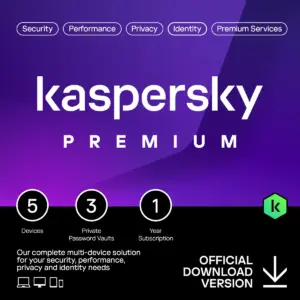 KasperskyBank and shop online in a protected browserKaspersky Premium · antivirus, password manager and data-leak alerts · 5 devicesShop KasperskyKasperskyRenew Kaspersky with a genuine licence keyPremium, Plus and Standard · 1 to 5 devicesSee Kaspersky plansKasperskyComplete protection for the whole familyKaspersky Premium covers PCs, Macs and phones, with Safe Kids free for a yearSee Kaspersky plans
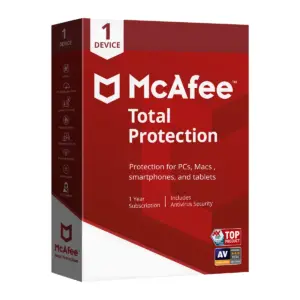
 Get warned about risky sites, links and downloadsMcAfee® Total Protection · antivirus, web protection and password manager · 1 deviceShop McAfee
 AvastSpot phishing emails and fake websites before they catch youAvast Premium Security · email and fake-site warnings · 1 PCShop Avast
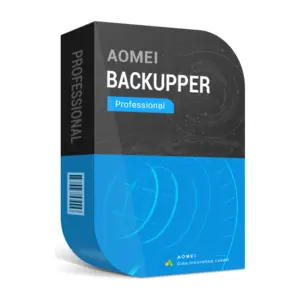 AOMEIWhen the cloud goes down, your own backup doesn’tAOMEI Backupper Professional · scheduled, incremental backups · 2 PCsShop AOMEIAOMEIBack up your whole PC and restore it, even to new hardwareAOMEI Backupper Professional · system backup, disk clone, rescue mediaShop AOMEI
 AcronisBack up your PC and stop ransomware, in one appAcronis True Image Advanced · 50 GB cloud backup · 1 yearShop AcronisBusiness securityProtecting 10 or more devices?Compared quotes on Kaspersky, Bitdefender, ESET and more · reply in one business dayGet a business quote
KasperskyBank and shop online in a protected browserKaspersky Premium · antivirus, password manager and data-leak alerts · 5 devicesShop KasperskyKasperskyRenew Kaspersky with a genuine licence keyPremium, Plus and Standard · 1 to 5 devicesSee Kaspersky plansKasperskyComplete protection for the whole familyKaspersky Premium covers PCs, Macs and phones, with Safe Kids free for a yearSee Kaspersky plansGet warned about risky sites, links and downloadsMcAfee® Total Protection · antivirus, web protection and password manager · 1 deviceShop McAfeeAvastSpot phishing emails and fake websites before they catch youAvast Premium Security · email and fake-site warnings · 1 PCShop AvastAOMEIWhen the cloud goes down, your own backup doesn’tAOMEI Backupper Professional · scheduled, incremental backups · 2 PCsShop AOMEIAOMEIBack up your whole PC and restore it, even to new hardwareAOMEI Backupper Professional · system backup, disk clone, rescue mediaShop AOMEIAcronisBack up your PC and stop ransomware, in one appAcronis True Image Advanced · 50 GB cloud backup · 1 yearShop AcronisBusiness securityProtecting 10 or more devices?Compared quotes on Kaspersky, Bitdefender, ESET and more · reply in one business dayGet a business quoteClinics and labs handle sensitive health data on front-desk PCs, reporting workstations and lab equipment computers, and often send reports to patients by email or WhatsApp. Downtime directly affects patients, so recovery speed matters as much as protection.
The risks we see most
- Ransomware that locks the patient management or lab reporting system.
- Shared front-desk logins and PCs used for personal browsing.
- Old Windows versions on PCs attached to lab equipment.
- Reports sent to the wrong recipient.
Recommended set-up
- Endpoint protection with a central console on reception, doctor and reporting PCs, with application control where possible. ESET PROTECT Advanced and Kaspersky Next EDR Foundations suit older hardware well.
- Separate the network for lab equipment computers that cannot be updated, and protect them with endpoint security that supports older systems.
- Backup with fast restore for the patient and reporting database: a full image plus daily incremental backups, with one copy off-site.
- Email security and a clear rule for how reports are sent.
- Individual logins for each staff member, and two-step login for email and cloud systems.
From the TrustedAV storeKasperskyBank and shop online in a protected browserKaspersky Premium · antivirus, password manager and data-leak alerts · 5 devicesShop KasperskyKasperskyRenew Kaspersky with a genuine licence keyPremium, Plus and Standard · 1 to 5 devicesSee Kaspersky plansKasperskyComplete protection for the whole familyKaspersky Premium covers PCs, Macs and phones, with Safe Kids free for a yearSee Kaspersky plansGet warned about risky sites, links and downloadsMcAfee® Total Protection · antivirus, web protection and password manager · 1 deviceShop McAfeeAvastSpot phishing emails and fake websites before they catch youAvast Premium Security · email and fake-site warnings · 1 PCShop AvastAOMEIWhen the cloud goes down, your own backup doesn’tAOMEI Backupper Professional · scheduled, incremental backups · 2 PCsShop AOMEIAOMEIBack up your whole PC and restore it, even to new hardwareAOMEI Backupper Professional · system backup, disk clone, rescue mediaShop AOMEIAcronisBack up your PC and stop ransomware, in one appAcronis True Image Advanced · 50 GB cloud backup · 1 yearShop AcronisBusiness securityProtecting 10 or more devices?Compared quotes on Kaspersky, Bitdefender, ESET and more · reply in one business dayGet a business quote
KasperskyBank and shop online in a protected browserKaspersky Premium · antivirus, password manager and data-leak alerts · 5 devicesShop KasperskyKasperskyRenew Kaspersky with a genuine licence keyPremium, Plus and Standard · 1 to 5 devicesSee Kaspersky plansKasperskyComplete protection for the whole familyKaspersky Premium covers PCs, Macs and phones, with Safe Kids free for a yearSee Kaspersky plansGet warned about risky sites, links and downloadsMcAfee® Total Protection · antivirus, web protection and password manager · 1 deviceShop McAfeeAvastSpot phishing emails and fake websites before they catch youAvast Premium Security · email and fake-site warnings · 1 PCShop AvastAOMEIWhen the cloud goes down, your own backup doesn’tAOMEI Backupper Professional · scheduled, incremental backups · 2 PCsShop AOMEIAOMEIBack up your whole PC and restore it, even to new hardwareAOMEI Backupper Professional · system backup, disk clone, rescue mediaShop AOMEIAcronisBack up your PC and stop ransomware, in one appAcronis True Image Advanced · 50 GB cloud backup · 1 yearShop AcronisBusiness securityProtecting 10 or more devices?Compared quotes on Kaspersky, Bitdefender, ESET and more · reply in one business dayGet a business quoteQuick wins this week
- Test restoring yesterday’s backup of your reporting database.
- Remove admin rights from front-desk accounts.
- Check that every PC is getting Windows updates.
Share your number of PCs and servers, and we will recommend editions that run well on your current hardware.
From the TrustedAV storePicks for this articleKasperskyKaspersky Premium5 devices · 1 year · Genuine licence · GST invoiceView product →McAfee® Total Protection1 device · 1 year · Genuine licence · GST invoiceView product →AvastAvast Premium Security1 PC · 1 year · Genuine licence · GST invoiceView product →AOMEIAOMEI Backupper Professional2 PCs · 1 year · Genuine licence · GST invoiceView product →AcronisAcronis True Image Advanced50 GB cloud backup · 1 year · Genuine licence · GST invoiceView product →
KasperskyKaspersky Premium5 devices · 1 year · Genuine licence · GST invoiceView product →McAfee® Total Protection1 device · 1 year · Genuine licence · GST invoiceView product →AvastAvast Premium Security1 PC · 1 year · Genuine licence · GST invoiceView product →AOMEIAOMEI Backupper Professional2 PCs · 1 year · Genuine licence · GST invoiceView product →AcronisAcronis True Image Advanced50 GB cloud backup · 1 year · Genuine licence · GST invoiceView product →Need help choosing or setting this up?Home users: shop genuine keys with activation help. Businesses with 10 or more devices: get a compared quote from our security desk.
Get a business quote Shop software More from the Knowledge Center