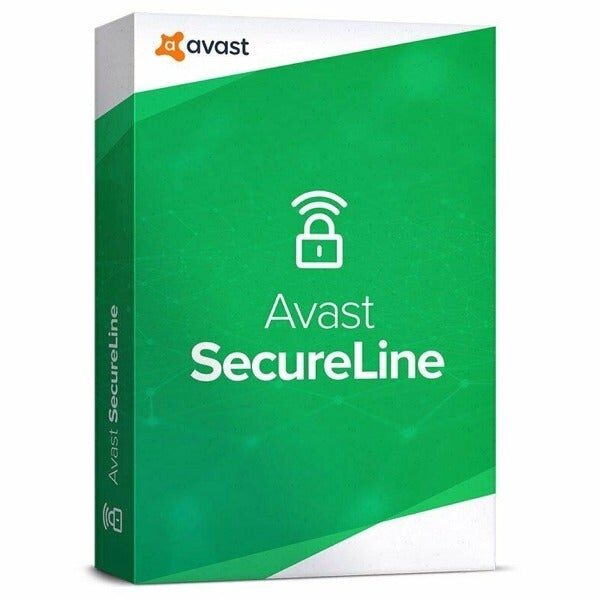
Avast SecureLine VPN 1 Year 10 Devices – VPN Licence Key (Email Delivery)
Avast SecureLine VPN is a VPN service, not an antivirus — it encrypts your internet connection and hides your IP address, but it does not scan for malware. This licence covers up to ten devices for one year and is meant to sit alongside your security software. The key is emailed as soon as payment is confirmed. It can't be used inside India and works only when you are abroad.
Subscription
Devices
Pay securely by UPI, cards, net banking or wallets
Your key is shown on the confirmation page and emailed to you as soon as your payment is confirmed.
- Genuine licence keyActivates directly with the publisher
- 30-day refund if unrevealedOr a replacement if the key fails
- Sold by Digiheave Private LimitedRegistered company in Delhi · GSTIN 07AAICD0436A1Z9
Important for buyers in India: Avast SecureLine VPN can’t be used while you are in India, because of government rules that require VPN providers to log and keep user data. It works only when you are outside India, so buy it only if you need a VPN while travelling abroad.
Who this licence is for
Is this an antivirus?
No. Avast SecureLine VPN is a virtual private network, not antivirus software. It encrypts the traffic leaving your device and replaces your visible IP address with the server’s, but it does not detect or remove malware — keep an antivirus installed as well.
Buy it if you travel outside India and use public Wi-Fi in cafés, airports and hotels abroad, if you share a connection you do not control, or if you simply do not want your network provider building a record of every site you open. Ten device slots make it practical for a whole family.
What you get
- Twelve months of Avast SecureLine VPN on up to ten devices at once.
- Encrypted connections through Avast’s server network, with a choice of locations.
- Your real IP address hidden from the sites and services you connect to.
- Apps for Windows 10 and Windows 11, macOS 11 or later, Android 8 or later and iOS 15 or later, so laptops and phones can share the same subscription.
- A single Avast account from which you manage which devices are connected.
How delivery and activation work
You pay securely online by UPI, card, net banking or wallet. The key reaches you by email as soon as payment is confirmed.
- Step 1 — Place the order and scratch to reveal the activation code on the confirmation page (or through the link in the email), then copy it.
- Step 2 — Sign in at https://account.avast.com and choose “Subscription activation”.
- Step 3 — Enter the code to link the VPN subscription to your Avast account.
- Step 4 — Install SecureLine VPN on each device using the guides at https://help.avast.com/en/install/, sign in with the same account, and connect.
Renewal and support
Can I extend an existing SecureLine subscription?
Yes. Activate the code in the Avast account that already holds SecureLine VPN and the twelve months are added to your current expiry date rather than starting a separate subscription.
If it does not activate
Write to our order team within seven days with your order number and the error Avast showed you. TrustedAV sources every key from authorised distribution channels, and you will be sent a replacement or refunded in full.Our order team is available 24×7 by call, WhatsApp or email for order and key-delivery questions. For technical help with the app, use Avast’s official support website (support.avast.com).
Specifications
| Brand | Avast |
|---|---|
| Product | Avast SecureLine VPN (a VPN service, not antivirus software) |
| Licence term | 1 year |
| Devices | 10 |
| Platforms | Windows 10 and Windows 11, macOS 11 or later, Android 8 or later, iOS 15 or later |
| Delivery | Licence key on screen and by email after payment |
| Format | Digital licence key |
| Region | Global, region-free; sold and priced in INR for customers in India |
| MPN | AVS-VPN18T12EN-10 |
| Renewal | Can be used to extend an existing subscription of the same product |
| Refund | Full refund within 30 days if the key hasn't been revealed; replacement or refund if it fails to activate within 30 days |
| SKU | TAV-AVS-VPN-1Y-10D |
How to activate Avast
- 1
Find your key
It is on your order confirmation page and in the email we send as soon as payment is confirmed.
- 2
Redeem it with Avast
Sign in or create an account on the official Avast site and enter the key exactly as shown.
- 3
Install
Download the installer Avast offers and check the remaining subscription term in the app.
Questions about Avast SecureLine VPN 1 Year 10 Devices – VPN Licence Key (Email Delivery)
Does Avast SecureLine VPN work in India?
No. It can't be used while you are in India, because of government rules that require VPN providers to log and keep user data. It works when you are outside India, for example on holiday or a work trip.
Is Avast SecureLine VPN an antivirus?
No. It is a VPN that encrypts your connection and hides your IP address. It does not scan for viruses, so keep antivirus software installed too.
How and when will I get my key?
The activation code is ready to reveal on a scratch card on your order confirmation page, and the email gives you a private link to it once payment is confirmed.
Is this a genuine Avast subscription?
Yes. It is a retail licence that activates in your own Avast account.
Will it work on Windows 11?
Yes. There are apps for Windows 10 and Windows 11, macOS 11 or later, Android 8 or later and iOS 15 or later.
How many devices and how long?
Up to ten devices at a time, for one year from activation, in any mix of the supported platforms.
Can I use it to renew an existing SecureLine subscription?
Yes. Entering the code in the same Avast account extends the subscription you already have.
What if the code does not work?
Contact support within seven days with your order number for a replacement code or a full refund.
Refund policy
You can ask for a full refund within 30 days of your order if you have not revealed your key. If we cannot deliver your key, or the key does not activate, we replace it or refund you in full within 30 days of purchase. Email us with your order number and a screenshot of the error.
More licence keys