
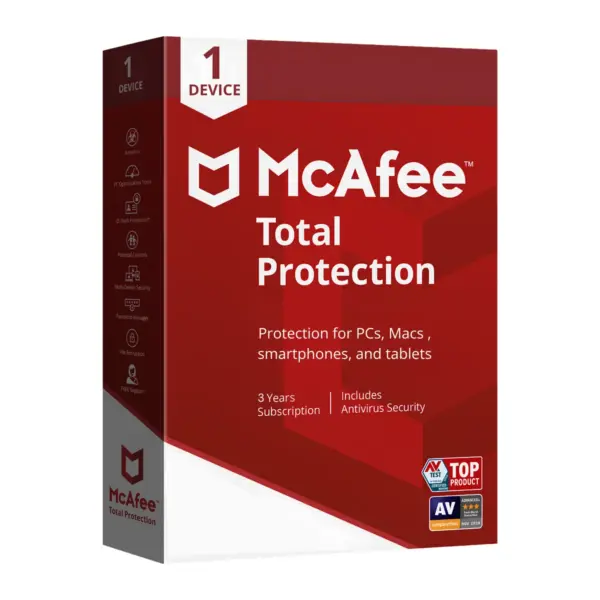
McAfee Total Protection – 3 Years / 1 Device
A three-year McAfee Total Protection licence for one device. It is for people who would rather set up security once and forget about it than deal with a renewal notice every twelve months. The key is emailed to you as soon as payment is confirmed, and it can be added to an existing McAfee subscription to extend it.
Subscription
Devices
Pay securely by UPI, cards, net banking or wallets
Your key is shown on the confirmation page and emailed to you as soon as your payment is confirmed.
- Genuine licence keyActivates directly with the publisher
- 30-day refund if unrevealedOr a replacement if the key fails
- Sold by Digiheave Private LimitedRegistered company in Delhi · GSTIN 07AAICD0436A1Z9
Choosing the right plan size
This plan covers 1 device and gives you cover for 3 years, so you pay once and skip 2 renewals. It suits one device, the usual pick for a single laptop or a personal phone.
At ₹1,100, it works out to about ₹367 per device per year.
| Plan | Price | Per device per year |
|---|---|---|
| 1 Year / 1 Device | ₹479 | ₹479 |
| 1 Year / 3 Devices | ₹739 | ₹246 |
| 1 Year / 5 Devices | ₹899 | ₹180 |
| 1 Year / 10 Devices | ₹1,489 | ₹149 |
| 3 Years / 1 Device This plan | ₹1,100 | ₹367 |
Who this licence is for
This is McAfee Total Protection for one device, paid once and valid for three years. It is the version to pick if the machine you are protecting is a long-term one — a home desktop, a work laptop, a parent’s PC — and you do not want to think about it again until 2029.
If you would rather pay year by year, the one-year version of the same product is listed separately on the site.
What you get
- Thirty-six months of McAfee Total Protection on one device, with updates included throughout.
- One payment and one activation instead of two extra renewal cycles. You are not exposed to whatever the renewal price happens to be in year two or year three, and there is no gap in cover if a reminder email gets missed.
- Real-time protection against viruses, ransomware and spyware, plus web and download checks.
- Firewall, secure file shredder and password manager.
- Windows 10 and Windows 11, macOS 11 or later, Android 8 or later, iOS 15 or later.
How delivery and activation work
You pay securely online by UPI, card, net banking or wallet. Delivery is immediate and entirely by email.
- Step 1 — Complete the order and scratch to reveal the key on the confirmation page (or through the link in the email), then copy it TrustedAV sends you.
- Step 2 — Visit https://www.mcafee.com/en-my/ipz/redeem/activate.html and sign in to your McAfee account, or register one.
- Step 3 — Redeem the key there, then download and run the installer for your device.
- Step 4 — Open McAfee and confirm the subscription end date is three years out.
Renewal and support
Can I add this to a subscription I already have?
Yes. Redeem it in the McAfee account that already holds your Total Protection subscription and the three years are added to your existing end date. Do it before the current term expires so nothing lapses.
What happens if the key fails?
Contact support within seven days of purchase with your order number and the exact error from McAfee. You get a replacement key or a full refund, your choice.Support is available 24×7 by call, WhatsApp or email.
Specifications
| Brand | McAfee |
|---|---|
| Product | McAfee Total Protection |
| Licence term | 3 years |
| Devices | 1 |
| Platforms | Windows 10 and Windows 11, macOS 11 or later, Android 8 or later, iOS 15 or later |
| Delivery | Licence key on screen and by email after payment |
| Format | Digital licence key |
| Region | Global, region-free; sold and priced in INR for customers in India |
| MPN | MTP-3Y1U |
| Renewal | Can be used to extend an existing subscription of the same product |
| Refund | Full refund within 30 days if the key hasn't been revealed; replacement or refund if it fails to activate within 30 days |
| SKU | TAV-MCA-TP-3Y-1D |
How to activate McAfee
- 1
Find your key
It is on your order confirmation page and in the email we send as soon as payment is confirmed.
- 2
Redeem it with McAfee
Sign in or create an account on the official McAfee site and enter the key exactly as shown.
- 3
Install
Download the installer McAfee offers and check the remaining subscription term in the app.
Questions about McAfee Total Protection – 3 Years / 1 Device
How and when will I get my key?
The key is ready to reveal on a scratch card on the order confirmation page, and a private link to it is sent to your email address as soon as your payment is confirmed.
Is this a genuine three-year licence?
Yes. It is a retail McAfee licence sourced from authorised distribution channels and redeemed on McAfee's own activation page.
Will it work on Windows 11?
Yes. It supports Windows 10 and Windows 11, and also macOS 11 or later, Android 8 or later and iOS 15 or later.
Can I use it to renew an existing subscription?
Yes. Redeeming it inside the same McAfee account extends your current Total Protection term by three years rather than starting a fresh one.
Why buy three years instead of one?
You pay once and activate once, and the price is fixed for the whole period, so there is no renewal to negotiate or forget in year two or three.
How many devices does it cover?
One device, for three years from activation.
What if the key does not activate?
Contact our support team within seven days with your order number and you will receive a replacement or a full refund.
Do I need to remove my current antivirus first?
Yes, if it is a different brand. Uninstall it before installing McAfee, since two real-time scanners on one machine can clash.
Refund policy
You can ask for a full refund within 30 days of your order if you have not revealed your key. If we cannot deliver your key, or the key does not activate, we replace it or refund you in full within 30 days of purchase. Email us with your order number and a screenshot of the error.
More licence keys