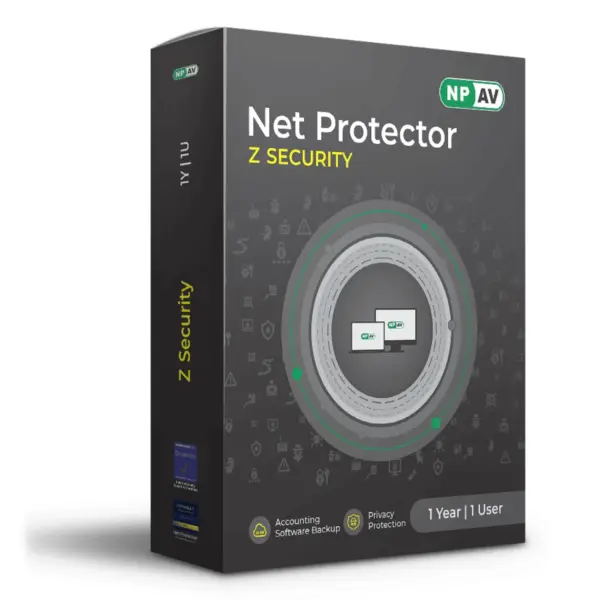
Net Protector Z Security – 1 Year / 1 PC
Net Protector Z Security for one Windows PC for one year. It adds 10 GB of secure cloud storage and web control to NPAV’s full protection, for a PC whose files you cannot afford to lose. Your licence key is ready to reveal on a scratch card on the order confirmation page, and the email gives you a private link to it as soon as payment is confirmed.
Subscription
Devices
This plan is out of stock right now. Contact us and we will tell you when keys are back.
Your key is shown on the confirmation page and emailed to you as soon as your payment is confirmed.
- Genuine licence keyActivates directly with the publisher
- 30-day refund if unrevealedOr a replacement if the key fails
- Sold by Digiheave Private LimitedRegistered company in Delhi · GSTIN 07AAICD0436A1Z9
Who this licence is for
This is a one-year Net Protector Z Security licence for a single Windows PC. It sits above Total Security in the NPAV range and adds 10 GB of secure cloud storage, so important files have a copy away from the PC.
It suits a business or home PC holding accounts, documents or photos that would be costly to lose to ransomware or a failed drive.
What you get
- Twelve months of Net Protector Z Security on one Windows PC, with hourly definition updates.
- 10 GB of secure cloud storage included with the licence.
- Antivirus, anti-malware and anti-ransomware protection, with behaviour-based detection and Ransomware LAN Shield.
- Web control to block unwanted sites, plus anti-phishing, a firewall, an adware blocker and a vulnerability scanner.
How delivery and activation work
Pay by UPI, card, net banking or wallet. Delivery is by email only.
- Step 1 — Place the order and scratch to reveal the key on the confirmation page (or through the link in the email), then copy it.
- Step 2 — Download the Z Security installer from https://www.npav.net/downloads.
- Step 3 — Run the installer and enter the licence key when prompted.
- Step 4 — Complete the registration and check that the app shows one year of validity.
Renewal and support
Can I use this to renew?
Yes. Enter the key through the renewal option of an installed Net Protector Z Security to extend it by a year.
What if something goes wrong?
Email support@trustedav.com within seven days with your order number and the message you saw. You will get a replacement key or a full refund.
Specifications
| Brand | Net Protector (NPAV) |
|---|---|
| Product | Net Protector Z Security (built-in 10 GB secure cloud) |
| Licence term | 1 year |
| Devices | 1 PC |
| Platforms | Windows 10 and Windows 11 |
| Cloud storage | 10 GB |
| Delivery | Licence key on screen and by email after payment |
| Format | Digital key by email (no CD, no shipping) |
| Region | India |
| Renewal | Can be used to renew an existing Net Protector Z Security licence |
| Refund | Full refund within 30 days if the key hasn't been revealed; replacement or refund if it fails to activate within 30 days |
| SKU | TAV-NPAV-ZS-1Y-1PC |
How to activate Net Protector
- 1
Find your key
It is on your order confirmation page and in the email we send as soon as payment is confirmed.
- 2
Redeem it with Net Protector
Sign in or create an account on the official Net Protector site and enter the key exactly as shown.
- 3
Install
Download the installer Net Protector offers and check the remaining subscription term in the app.
Questions about Net Protector Z Security – 1 Year / 1 PC
How and when will I get my key?
The key is ready to reveal on a scratch card on your order confirmation page, and the email gives you a private link to it as soon as payment is confirmed.
How is Z Security different from Total Security?
Z Security adds 10 GB of secure cloud storage and web control on top of NPAV's antivirus, ransomware and firewall protection.
Will it work on Windows 11?
Yes. It covers one PC running Windows 10 or Windows 11.
How many PCs and how long?
One Windows PC for one year from activation.
What if the key does not work?
Email support@trustedav.com within seven days with your order number and you will get a replacement key or a full refund.
Do I need to uninstall my old antivirus first?
Yes. Remove any other antivirus before installing Net Protector to avoid conflicts.
Refund policy
You can ask for a full refund within 30 days of your order if you have not revealed your key. If we cannot deliver your key, or the key does not activate, we replace it or refund you in full within 30 days of purchase. Email us with your order number and a screenshot of the error.
More licence keys