


From the TrustedAV store
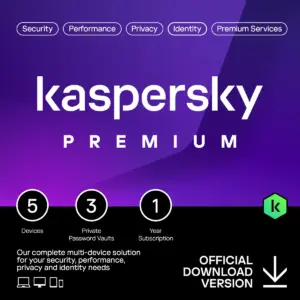 KasperskyBank and shop online in a protected browserKaspersky Premium · antivirus, password manager and data-leak alerts · 5 devicesShop KasperskyKasperskyRenew Kaspersky with a genuine licence keyPremium, Plus and Standard · 1 to 5 devicesSee Kaspersky plansKasperskyComplete protection for the whole familyKaspersky Premium covers PCs, Macs and phones, with Safe Kids free for a yearSee Kaspersky plans
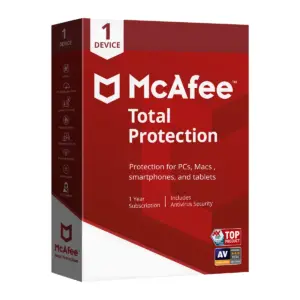
 Get warned about risky sites, links and downloadsMcAfee® Total Protection · antivirus, web protection and password manager · 1 deviceShop McAfee
 AvastSpot phishing emails and fake websites before they catch youAvast Premium Security · email and fake-site warnings · 1 PCShop Avast
 AOMEIWhen the cloud goes down, your own backup doesn’tAOMEI Backupper Professional · scheduled, incremental backups · 2 PCsShop AOMEIAOMEIBack up your whole PC and restore it, even to new hardwareAOMEI Backupper Professional · system backup, disk clone, rescue mediaShop AOMEI
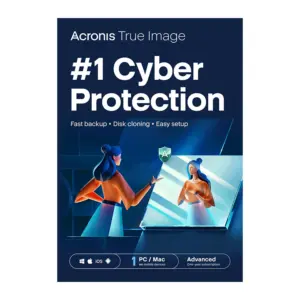 AcronisBack up your PC and stop ransomware, in one appAcronis True Image Advanced · 50 GB cloud backup · 1 yearShop AcronisBusiness securityProtecting 10 or more devices?Compared quotes on Kaspersky, Bitdefender, ESET and more · reply in one business dayGet a business quote
KasperskyBank and shop online in a protected browserKaspersky Premium · antivirus, password manager and data-leak alerts · 5 devicesShop KasperskyKasperskyRenew Kaspersky with a genuine licence keyPremium, Plus and Standard · 1 to 5 devicesSee Kaspersky plansKasperskyComplete protection for the whole familyKaspersky Premium covers PCs, Macs and phones, with Safe Kids free for a yearSee Kaspersky plansGet warned about risky sites, links and downloadsMcAfee® Total Protection · antivirus, web protection and password manager · 1 deviceShop McAfeeAvastSpot phishing emails and fake websites before they catch youAvast Premium Security · email and fake-site warnings · 1 PCShop AvastAOMEIWhen the cloud goes down, your own backup doesn’tAOMEI Backupper Professional · scheduled, incremental backups · 2 PCsShop AOMEIAOMEIBack up your whole PC and restore it, even to new hardwareAOMEI Backupper Professional · system backup, disk clone, rescue mediaShop AOMEIAcronisBack up your PC and stop ransomware, in one appAcronis True Image Advanced · 50 GB cloud backup · 1 yearShop AcronisBusiness securityProtecting 10 or more devices?Compared quotes on Kaspersky, Bitdefender, ESET and more · reply in one business dayGet a business quoteYour antivirus subscription is linked to an online account with the publisher. To renew, you add a new licence key to that same account. You do not need to uninstall anything, and your protection carries on without a gap.
Before you start
- Find the email address your current subscription is registered to. It is usually the one you used when you first activated.
- Check your expiry date in the app (often under Account, Subscription or My Products).
- Have your new key ready. With TrustedAV it arrives by email after payment.
Renew step by step
- Sign in to the publisher’s account page with the same email as your current subscription: McAfee (my account), Kaspersky (My Kaspersky), Norton (my.norton.com), Avast or AVG (account page).
- Choose the option to add or redeem a key, for example “Redeem”, “Add activation code” or “Enter a key”.
- Paste the new key and confirm. The new term is added to your subscription. Most publishers add it on top of the days you have left.
- Open the app on each device and refresh or sign out and back in, so it picks up the new expiry date.
Good to know: with TrustedAV keys, the subscription term starts on the day you activate the key, not the day you buy it. You can buy early and activate near your expiry date.
From the TrustedAV storeKasperskyBank and shop online in a protected browserKaspersky Premium · antivirus, password manager and data-leak alerts · 5 devicesShop KasperskyKasperskyRenew Kaspersky with a genuine licence keyPremium, Plus and Standard · 1 to 5 devicesSee Kaspersky plansKasperskyComplete protection for the whole familyKaspersky Premium covers PCs, Macs and phones, with Safe Kids free for a yearSee Kaspersky plansGet warned about risky sites, links and downloadsMcAfee® Total Protection · antivirus, web protection and password manager · 1 deviceShop McAfeeAvastSpot phishing emails and fake websites before they catch youAvast Premium Security · email and fake-site warnings · 1 PCShop AvastAOMEIWhen the cloud goes down, your own backup doesn’tAOMEI Backupper Professional · scheduled, incremental backups · 2 PCsShop AOMEIAOMEIBack up your whole PC and restore it, even to new hardwareAOMEI Backupper Professional · system backup, disk clone, rescue mediaShop AOMEIAcronisBack up your PC and stop ransomware, in one appAcronis True Image Advanced · 50 GB cloud backup · 1 yearShop AcronisBusiness securityProtecting 10 or more devices?Compared quotes on Kaspersky, Bitdefender, ESET and more · reply in one business dayGet a business quote
KasperskyBank and shop online in a protected browserKaspersky Premium · antivirus, password manager and data-leak alerts · 5 devicesShop KasperskyKasperskyRenew Kaspersky with a genuine licence keyPremium, Plus and Standard · 1 to 5 devicesSee Kaspersky plansKasperskyComplete protection for the whole familyKaspersky Premium covers PCs, Macs and phones, with Safe Kids free for a yearSee Kaspersky plansGet warned about risky sites, links and downloadsMcAfee® Total Protection · antivirus, web protection and password manager · 1 deviceShop McAfeeAvastSpot phishing emails and fake websites before they catch youAvast Premium Security · email and fake-site warnings · 1 PCShop AvastAOMEIWhen the cloud goes down, your own backup doesn’tAOMEI Backupper Professional · scheduled, incremental backups · 2 PCsShop AOMEIAOMEIBack up your whole PC and restore it, even to new hardwareAOMEI Backupper Professional · system backup, disk clone, rescue mediaShop AOMEIAcronisBack up your PC and stop ransomware, in one appAcronis True Image Advanced · 50 GB cloud backup · 1 yearShop AcronisBusiness securityProtecting 10 or more devices?Compared quotes on Kaspersky, Bitdefender, ESET and more · reply in one business dayGet a business quoteCommon problems
- “Key already used”: check you copied it exactly, without spaces. If it still fails, reply to your order email and we will replace it.
- The key is for a different product: a Plus key cannot always renew a Premium subscription, and device counts must fit. When in doubt, buy the same edition and device count you have now.
- The app still shows the old date: restart the app or device, or sign out and back in.
- You used a different email last year: sign in with that email, or contact the publisher to move the subscription.
Should you switch brands at renewal?
Renewal is a good moment to review. If your computer feels slow, you need more devices covered, or you want a password manager or VPN included, compare editions first. If you switch, install the new product and uninstall the old one so they do not conflict.
From the TrustedAV storePicks for this articleKasperskyKaspersky Premium5 devices · 1 year · Genuine licence · GST invoiceView product →McAfee® Total Protection1 device · 1 year · Genuine licence · GST invoiceView product →AvastAvast Premium Security1 PC · 1 year · Genuine licence · GST invoiceView product →AOMEIAOMEI Backupper Professional2 PCs · 1 year · Genuine licence · GST invoiceView product →AcronisAcronis True Image Advanced50 GB cloud backup · 1 year · Genuine licence · GST invoiceView product →
KasperskyKaspersky Premium5 devices · 1 year · Genuine licence · GST invoiceView product →McAfee® Total Protection1 device · 1 year · Genuine licence · GST invoiceView product →AvastAvast Premium Security1 PC · 1 year · Genuine licence · GST invoiceView product →AOMEIAOMEI Backupper Professional2 PCs · 1 year · Genuine licence · GST invoiceView product →AcronisAcronis True Image Advanced50 GB cloud backup · 1 year · Genuine licence · GST invoiceView product →Need help choosing or setting this up?Home users: shop genuine keys with activation help. Businesses with 10 or more devices: get a compared quote from our security desk.
Get a business quote Shop software More from the Knowledge Center