


From the TrustedAV store
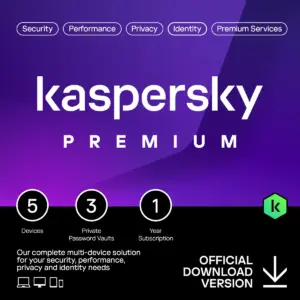 KasperskyBank and shop online in a protected browserKaspersky Premium · antivirus, password manager and data-leak alerts · 5 devicesShop KasperskyKasperskyRenew Kaspersky with a genuine licence keyPremium, Plus and Standard · 1 to 5 devicesSee Kaspersky plansKasperskyComplete protection for the whole familyKaspersky Premium covers PCs, Macs and phones, with Safe Kids free for a yearSee Kaspersky plans
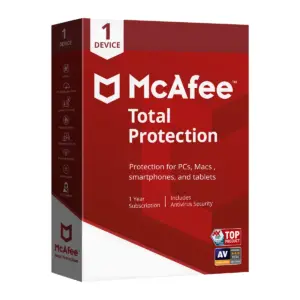
 Get warned about risky sites, links and downloadsMcAfee® Total Protection · antivirus, web protection and password manager · 1 deviceShop McAfee
 AvastSpot phishing emails and fake websites before they catch youAvast Premium Security · email and fake-site warnings · 1 PCShop Avast
 AOMEIWhen the cloud goes down, your own backup doesn’tAOMEI Backupper Professional · scheduled, incremental backups · 2 PCsShop AOMEIAOMEIBack up your whole PC and restore it, even to new hardwareAOMEI Backupper Professional · system backup, disk clone, rescue mediaShop AOMEI
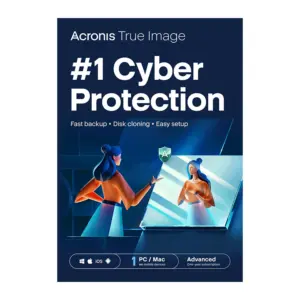 AcronisBack up your PC and stop ransomware, in one appAcronis True Image Advanced · 50 GB cloud backup · 1 yearShop AcronisBusiness securityProtecting 10 or more devices?Compared quotes on Kaspersky, Bitdefender, ESET and more · reply in one business dayGet a business quote
KasperskyBank and shop online in a protected browserKaspersky Premium · antivirus, password manager and data-leak alerts · 5 devicesShop KasperskyKasperskyRenew Kaspersky with a genuine licence keyPremium, Plus and Standard · 1 to 5 devicesSee Kaspersky plansKasperskyComplete protection for the whole familyKaspersky Premium covers PCs, Macs and phones, with Safe Kids free for a yearSee Kaspersky plansGet warned about risky sites, links and downloadsMcAfee® Total Protection · antivirus, web protection and password manager · 1 deviceShop McAfeeAvastSpot phishing emails and fake websites before they catch youAvast Premium Security · email and fake-site warnings · 1 PCShop AvastAOMEIWhen the cloud goes down, your own backup doesn’tAOMEI Backupper Professional · scheduled, incremental backups · 2 PCsShop AOMEIAOMEIBack up your whole PC and restore it, even to new hardwareAOMEI Backupper Professional · system backup, disk clone, rescue mediaShop AOMEIAcronisBack up your PC and stop ransomware, in one appAcronis True Image Advanced · 50 GB cloud backup · 1 yearShop AcronisBusiness securityProtecting 10 or more devices?Compared quotes on Kaspersky, Bitdefender, ESET and more · reply in one business dayGet a business quoteUPI has made payments instant. Scammers use that speed. These habits protect you, your family and your staff.
Know the common tricks
- “Collect request” scams: someone sends a UPI request and says you will receive money. Entering your PIN always sends money; it never receives it.
- Fake KYC updates: an SMS or call says your bank, wallet or SIM will be blocked unless you update KYC through a link or app.
- Screen-sharing apps: a “support agent” asks you to install a remote-access app, then watches you enter your PIN or OTP.
- QR codes for refunds: scanning a QR code to “receive” a refund. QR codes are for paying, not receiving.
Seven habits that stop them
- Never share an OTP, UPI PIN or CVV with anyone, including people who claim to be from your bank.
- Remember: you only enter your UPI PIN to send money.
- Do KYC only in the official app or at a branch, never through an SMS link.
- Do not install remote-access apps because a caller asks you to.
- Check the payee name shown in your UPI app before you approve.
- Set a daily UPI limit that matches what you really spend.
- Keep your phone updated and use mobile security software that blocks scam links.
Lost money? Call the national cybercrime helpline 1930 at once and report at cybercrime.gov.in. Also call your bank to block the transaction. The faster you report, the better the chance of stopping the transfer.
From the TrustedAV storePicks for this articleKasperskyKaspersky Premium5 devices · 1 year · Genuine licence · GST invoiceView product →McAfee® Total Protection1 device · 1 year · Genuine licence · GST invoiceView product →AvastAvast Premium Security1 PC · 1 year · Genuine licence · GST invoiceView product →AOMEIAOMEI Backupper Professional2 PCs · 1 year · Genuine licence · GST invoiceView product →AcronisAcronis True Image Advanced50 GB cloud backup · 1 year · Genuine licence · GST invoiceView product →
KasperskyKaspersky Premium5 devices · 1 year · Genuine licence · GST invoiceView product →McAfee® Total Protection1 device · 1 year · Genuine licence · GST invoiceView product →AvastAvast Premium Security1 PC · 1 year · Genuine licence · GST invoiceView product →AOMEIAOMEI Backupper Professional2 PCs · 1 year · Genuine licence · GST invoiceView product →AcronisAcronis True Image Advanced50 GB cloud backup · 1 year · Genuine licence · GST invoiceView product →Need help choosing or setting this up?Home users: shop genuine keys with activation help. Businesses with 10 or more devices: get a compared quote from our security desk.
Get a business quote Shop software More from the Knowledge Center