


From the TrustedAV store
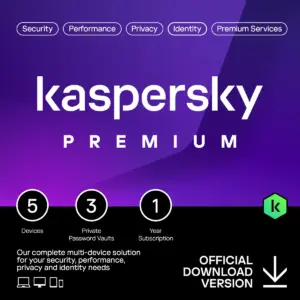 KasperskyBank and shop online in a protected browserKaspersky Premium · antivirus, password manager and data-leak alerts · 5 devicesShop KasperskyKasperskyRenew Kaspersky with a genuine licence keyPremium, Plus and Standard · 1 to 5 devicesSee Kaspersky plansKasperskyComplete protection for the whole familyKaspersky Premium covers PCs, Macs and phones, with Safe Kids free for a yearSee Kaspersky plans
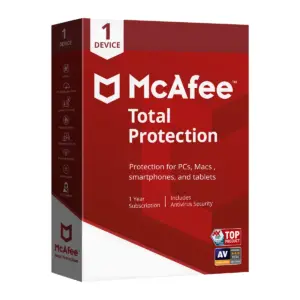
 Get warned about risky sites, links and downloadsMcAfee® Total Protection · antivirus, web protection and password manager · 1 deviceShop McAfee
 AvastSpot phishing emails and fake websites before they catch youAvast Premium Security · email and fake-site warnings · 1 PCShop Avast
 AOMEIWhen the cloud goes down, your own backup doesn’tAOMEI Backupper Professional · scheduled, incremental backups · 2 PCsShop AOMEIAOMEIBack up your whole PC and restore it, even to new hardwareAOMEI Backupper Professional · system backup, disk clone, rescue mediaShop AOMEI
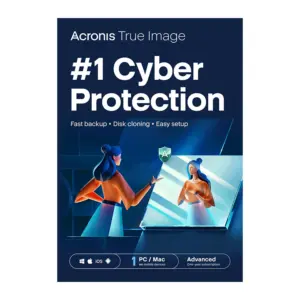 AcronisBack up your PC and stop ransomware, in one appAcronis True Image Advanced · 50 GB cloud backup · 1 yearShop AcronisBusiness securityProtecting 10 or more devices?Compared quotes on Kaspersky, Bitdefender, ESET and more · reply in one business dayGet a business quote
KasperskyBank and shop online in a protected browserKaspersky Premium · antivirus, password manager and data-leak alerts · 5 devicesShop KasperskyKasperskyRenew Kaspersky with a genuine licence keyPremium, Plus and Standard · 1 to 5 devicesSee Kaspersky plansKasperskyComplete protection for the whole familyKaspersky Premium covers PCs, Macs and phones, with Safe Kids free for a yearSee Kaspersky plansGet warned about risky sites, links and downloadsMcAfee® Total Protection · antivirus, web protection and password manager · 1 deviceShop McAfeeAvastSpot phishing emails and fake websites before they catch youAvast Premium Security · email and fake-site warnings · 1 PCShop AvastAOMEIWhen the cloud goes down, your own backup doesn’tAOMEI Backupper Professional · scheduled, incremental backups · 2 PCsShop AOMEIAOMEIBack up your whole PC and restore it, even to new hardwareAOMEI Backupper Professional · system backup, disk clone, rescue mediaShop AOMEIAcronisBack up your PC and stop ransomware, in one appAcronis True Image Advanced · 50 GB cloud backup · 1 yearShop AcronisBusiness securityProtecting 10 or more devices?Compared quotes on Kaspersky, Bitdefender, ESET and more · reply in one business dayGet a business quoteMost cyber attacks on small businesses start with an email. Teach everyone these five checks. Together they take about 30 seconds.
The five checks
- Who really sent it? Look at the actual email address, not just the display name. “HDFC Bank” sending from a Gmail address, or from hdfc-secure-alerts.co, is a fake.
- Is it pushing you to hurry? “Your account will be blocked today”, “Pay within 2 hours”, “Final notice”. Urgency is the scammer’s favourite tool.
- Where does the link go? Hover over it (or long-press on a phone) and read the web address. If it is not the company’s real website, do not click.
- Is it asking for something unusual? Passwords, OTPs, card details, gift cards, or a change to a supplier’s bank account are red flags. Real banks and companies never ask for your OTP.
- Was it expected? An invoice you did not ask for, a parcel you did not order or a shared document from someone you do not know deserves a second look.
The golden rule: if an email asks for money or a password, check it through a different channel. Call the person on a number you already have, not one in the email.
If you clicked
- Do not enter anything else. Close the page.
- If you typed a password, change it at once from the real website, and turn on two-step login.
- Tell your IT person or manager straight away. Speed limits the damage.
- If money was lost, call the national cybercrime helpline 1930 immediately.
From the TrustedAV storeKasperskyBank and shop online in a protected browserKaspersky Premium · antivirus, password manager and data-leak alerts · 5 devicesShop KasperskyKasperskyRenew Kaspersky with a genuine licence keyPremium, Plus and Standard · 1 to 5 devicesSee Kaspersky plansKasperskyComplete protection for the whole familyKaspersky Premium covers PCs, Macs and phones, with Safe Kids free for a yearSee Kaspersky plansGet warned about risky sites, links and downloadsMcAfee® Total Protection · antivirus, web protection and password manager · 1 deviceShop McAfeeAvastSpot phishing emails and fake websites before they catch youAvast Premium Security · email and fake-site warnings · 1 PCShop AvastAOMEIWhen the cloud goes down, your own backup doesn’tAOMEI Backupper Professional · scheduled, incremental backups · 2 PCsShop AOMEIAOMEIBack up your whole PC and restore it, even to new hardwareAOMEI Backupper Professional · system backup, disk clone, rescue mediaShop AOMEIAcronisBack up your PC and stop ransomware, in one appAcronis True Image Advanced · 50 GB cloud backup · 1 yearShop AcronisBusiness securityProtecting 10 or more devices?Compared quotes on Kaspersky, Bitdefender, ESET and more · reply in one business dayGet a business quote
KasperskyBank and shop online in a protected browserKaspersky Premium · antivirus, password manager and data-leak alerts · 5 devicesShop KasperskyKasperskyRenew Kaspersky with a genuine licence keyPremium, Plus and Standard · 1 to 5 devicesSee Kaspersky plansKasperskyComplete protection for the whole familyKaspersky Premium covers PCs, Macs and phones, with Safe Kids free for a yearSee Kaspersky plansGet warned about risky sites, links and downloadsMcAfee® Total Protection · antivirus, web protection and password manager · 1 deviceShop McAfeeAvastSpot phishing emails and fake websites before they catch youAvast Premium Security · email and fake-site warnings · 1 PCShop AvastAOMEIWhen the cloud goes down, your own backup doesn’tAOMEI Backupper Professional · scheduled, incremental backups · 2 PCsShop AOMEIAOMEIBack up your whole PC and restore it, even to new hardwareAOMEI Backupper Professional · system backup, disk clone, rescue mediaShop AOMEIAcronisBack up your PC and stop ransomware, in one appAcronis True Image Advanced · 50 GB cloud backup · 1 yearShop AcronisBusiness securityProtecting 10 or more devices?Compared quotes on Kaspersky, Bitdefender, ESET and more · reply in one business dayGet a business quotePrintable checklist
Print this and keep it near shared computers:
- ☐ Check the real sender address
- ☐ Ignore pressure to hurry
- ☐ Hover before you click
- ☐ Never share passwords or OTPs
- ☐ Verify money requests by phone
From the TrustedAV storePicks for this articleKasperskyKaspersky Premium5 devices · 1 year · Genuine licence · GST invoiceView product →McAfee® Total Protection1 device · 1 year · Genuine licence · GST invoiceView product →AvastAvast Premium Security1 PC · 1 year · Genuine licence · GST invoiceView product →AOMEIAOMEI Backupper Professional2 PCs · 1 year · Genuine licence · GST invoiceView product →AcronisAcronis True Image Advanced50 GB cloud backup · 1 year · Genuine licence · GST invoiceView product →
KasperskyKaspersky Premium5 devices · 1 year · Genuine licence · GST invoiceView product →McAfee® Total Protection1 device · 1 year · Genuine licence · GST invoiceView product →AvastAvast Premium Security1 PC · 1 year · Genuine licence · GST invoiceView product →AOMEIAOMEI Backupper Professional2 PCs · 1 year · Genuine licence · GST invoiceView product →AcronisAcronis True Image Advanced50 GB cloud backup · 1 year · Genuine licence · GST invoiceView product →Need help choosing or setting this up?Home users: shop genuine keys with activation help. Businesses with 10 or more devices: get a compared quote from our security desk.
Get a business quote Shop software More from the Knowledge Center